
Questions about kids’ screen time and L2P
Open the compact app help reader
Step-by-step help for parents and child devices. Choose a topic, then tap a question.
Browse topics
Getting started & pairing
Which device should I use for each step?
Use both devices
Use the parent’s iPhone or iPad to sign in, create child profiles, set reward rules and manage time. Use the child’s iPhone or iPad to join the family, approve Screen Time access and select the apps installed there. L2P does not apply child app restrictions to the parent device.
- On the parent device, open L2P → Parent Device → Continue with Apple or Continue with Google.
- Tap Add First Child. Enter a Child Nickname, then tap Create. A nickname is enough.
- Keep both devices nearby and online for pairing and setup. Children join with a parent-issued code; they do not sign up for a separate L2P account.
How do I pair the child device?
Use both devices
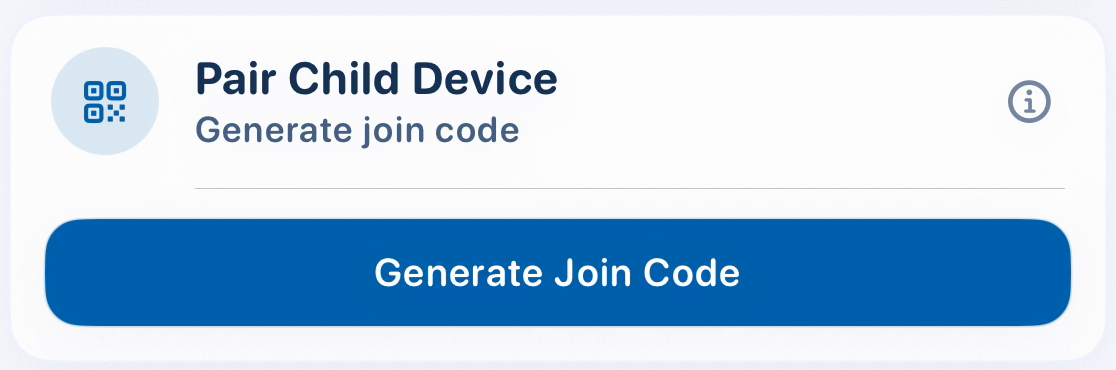
- Parent device: open Settings → Manage Family. Select the child profile, set its reward rule, then find Pair Child Device and tap Generate Join Code.
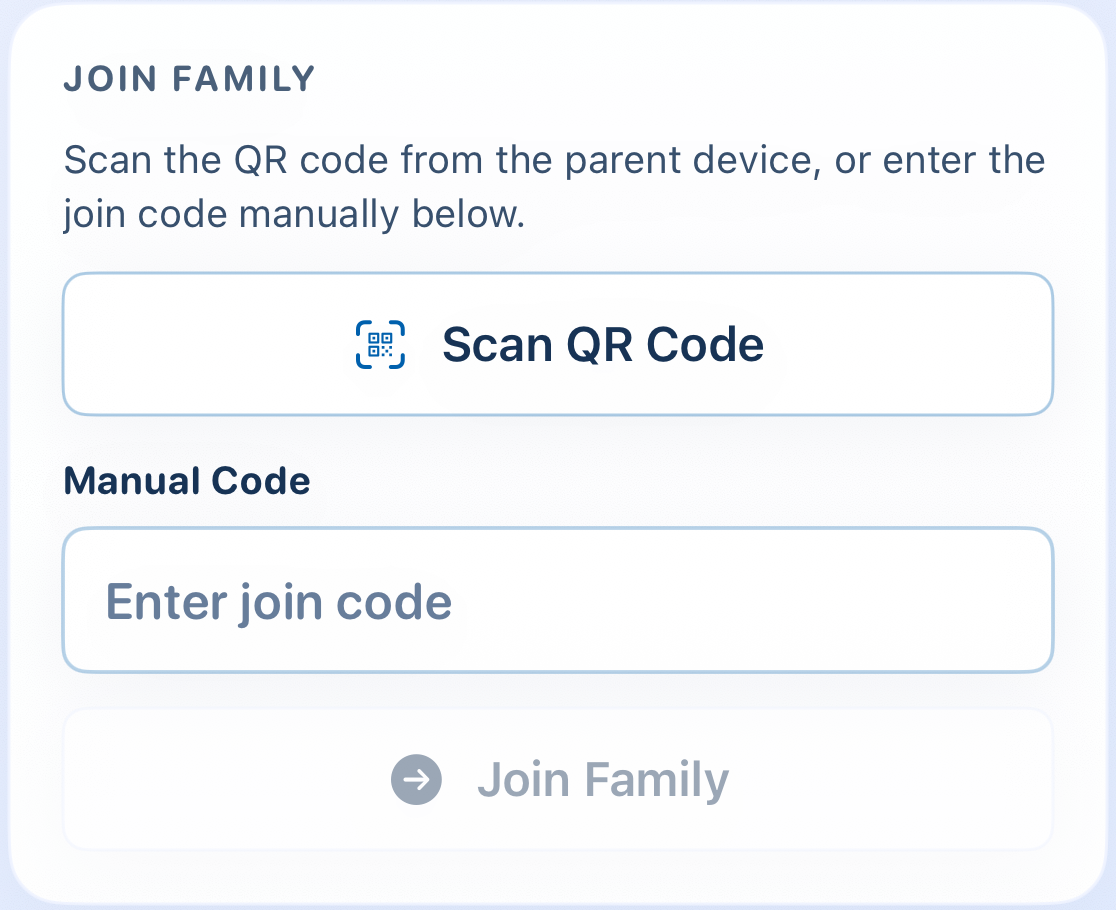
- Child device: open L2P → Child Device → Join Family. Use Scan QR Code, or type the code under Manual Code and tap Join Family.
- On the child device, complete Screen Time setup and select Learning Apps and Play Apps. Pairing alone does not finish these steps.
Use the code before the expiry shown on the parent device. If it has expired, the parent can tap Regenerate Join Code. Keep join codes and QR codes private.
How do I replace a child device or fix “already linked”?
On the parent device
Each child profile can link to one device. A child device belongs to one child and one family.
- Open Settings → Manage Family, select the correct child, then find Pair Child Device.
- To replace the existing device, use Unlink Child Device. Then generate a new join code and complete Join Family on the replacement device.
- Bring the old device online and open L2P so it can validate the changed link. An offline device cannot receive the parent’s change immediately.
App selection & permissions
How do I finish Screen Time setup?
On the child device
The child device needs the child’s Apple Account in the parent or guardian’s Family Sharing group. L2P cannot independently inspect Family Sharing membership; Apple’s authorization prompt checks whether access can be granted.
- On the child Dashboard, open Device Status and the setup action for an incomplete item to enter Setup Tools.
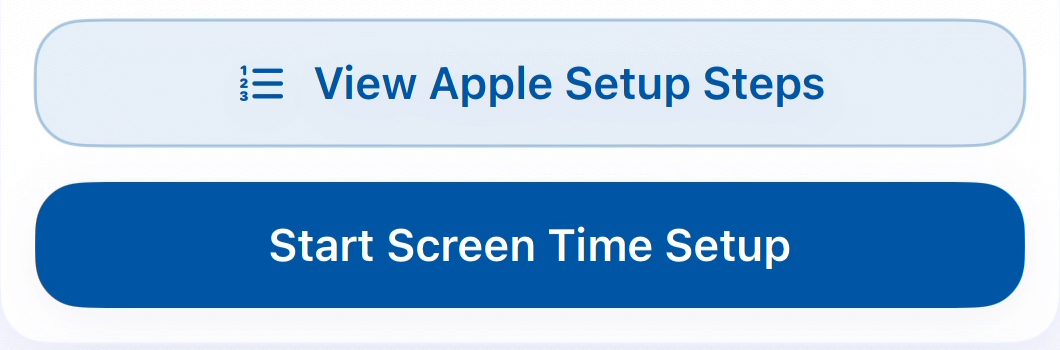
- Use View Apple Setup Steps to review account and Family Sharing preparation. Have the parent or guardian complete any Apple security prompts on this device.
- Tap Start Screen Time Setup when offered, and complete Apple’s authorization. Return to L2P and check Device Status again.
After initial setup, use temporary Child Tools access from the parent device if you need to revisit permissions. System permission screens may look different across iOS versions.
Where do I choose Learning Apps and Play Apps?
On the child device
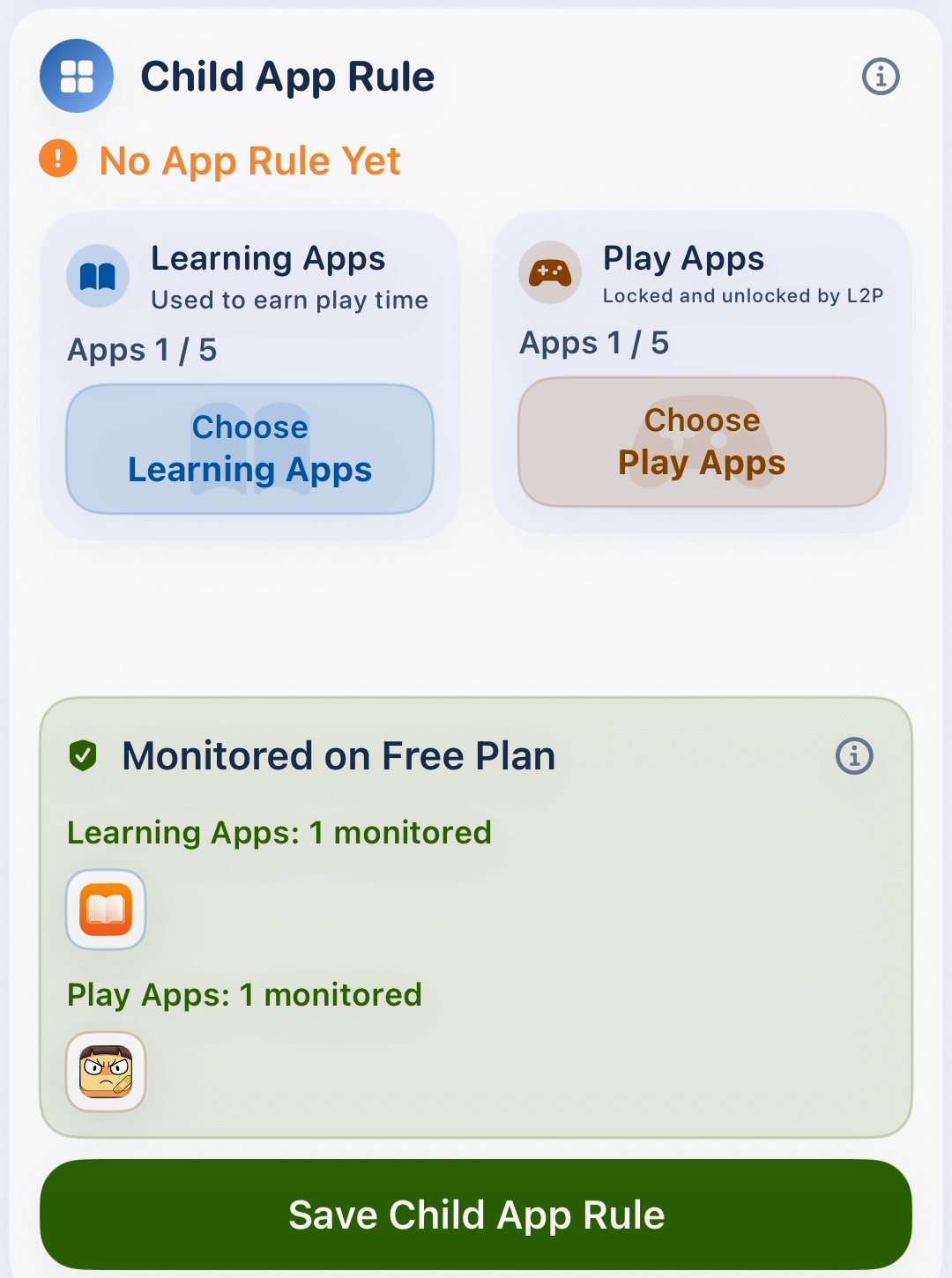
Choose apps on the child device: Apple’s picker uses the apps available on that device. Learning Apps earn play minutes; Play Apps are the apps L2P controls with the available balance.
- Finish Screen Time setup. Open Child Tools (or Setup Tools during initial setup) and find Child App Rule.
- Tap Learning Apps, choose the apps in Apple’s picker and return. Repeat for Play Apps. Keep the two selections separate.
- Tap Save Child App Rule and wait for the saved result. Review the managed app lists below the selectors.
Websites are ignored by the current rules. L2P itself is not a Learning App. An app selected in both groups is removed from the learning selection.
Why are some saved apps not controlled?
On the child device
Free monitors up to 5 Learning Apps and 5 Play Apps, selected individually. It uses the first allowed apps in app-name order. Saved extras and categories are not monitored, locked or unlocked on Free.
In Child App Rule, check Monitored on Free Plan and Unmonitored on Free Plan after saving or changing plans. Plus and Pro allow broader app/category selections; websites are still ignored. If plan sync has not finished, the screen may show Free limits until it completes.
Learning, play time & parent tools
How do I set learning-to-play time?
On the parent device
- Select the child on Dashboard and tap My Reward Rule, or open Settings → Manage Family → Set Reward Rule.
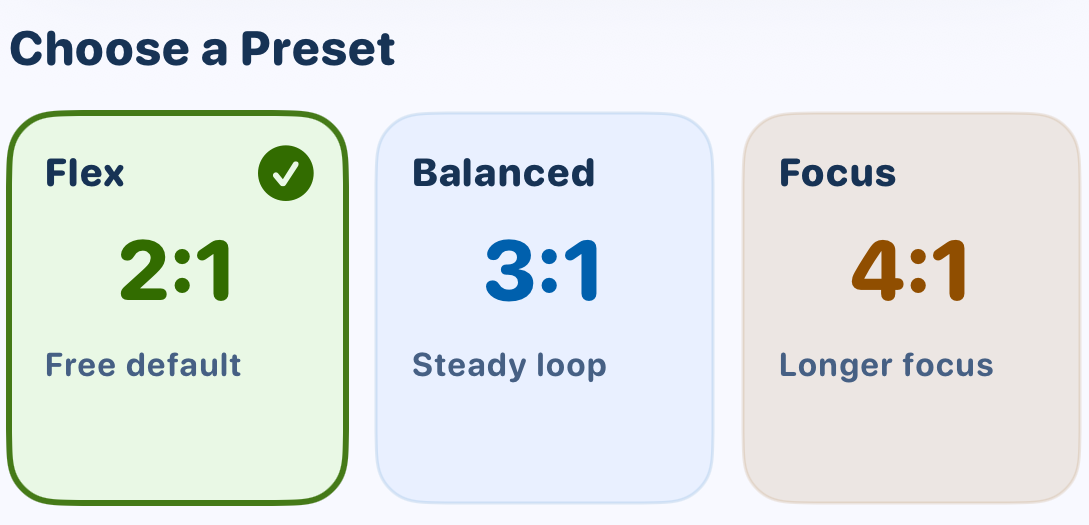
- On Free, choose a 2:1, 3:1 or 4:1 preset and tap Save Preset. On Plus or Pro, set the supported learn/play minute values and tap Save Rule.
- Keep the child device online to receive the saved rule. Check the child’s status before testing with a selected Learning App.
A 2:1 rule means 20 counted learning minutes earns 10 play minutes. Conversion rounds down to whole minutes: 19 learning minutes at 4:1 earns 4 play minutes. L2P counts app usage; it does not check homework quality or what was learned.
When do games unlock, and what do the totals mean?
On the child device
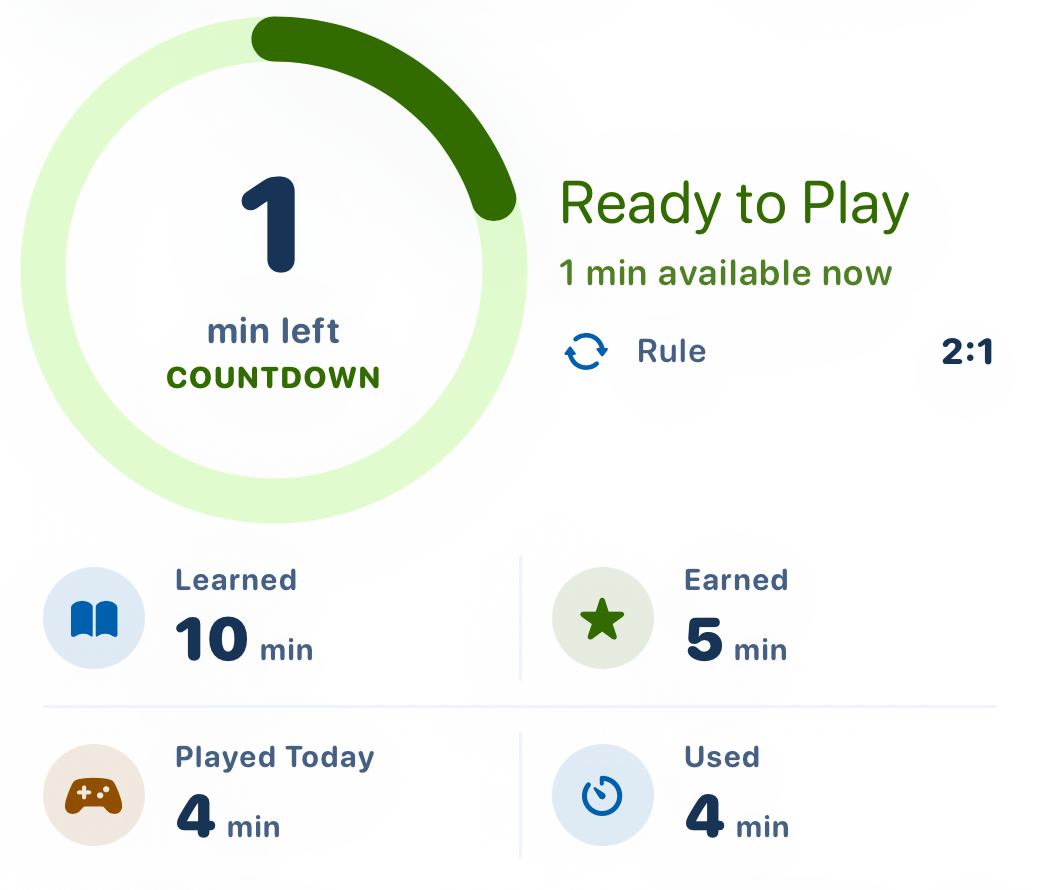
With pairing, permissions and rules ready, use a monitored Learning App to earn time. Selected Play Apps unlock when playable minutes are available, consume time while used, and lock again at zero. Other Apple restrictions can still limit an app.
On the child device, the dial shows remaining play minutes. Learned is today’s counted learning; Earned is the play time earned from learning. Played Today shows recorded play usage, while Used shows consumed play minutes. If separate play-usage data is unavailable, the app shows Consumed Today instead of Played Today.
On the parent Dashboard, Play / Total shows play already used out of earned plus bonus time, and Remaining shows the time still available. Remaining time is max(earned + bonus − used, 0). Daily time resets at midnight in the child device’s local time; it is not a carry-over balance.
How do I give or reduce Bonus Time today?
On the parent device
- On Dashboard, select the child and open Bonus Time (Today).
- Free: tap Clear, Quick 5 or Max 10 under Quick Choices. These choices save immediately; they set today’s total bonus grant to 0, 5 or 10 minutes. Tapping Quick 5 repeatedly does not keep adding another five minutes.
- Plus / Pro: adjust the total and tap Apply. The daily maximum is 20 hours.
- Keep the child online, open L2P and refresh. Wait for the child to receive and apply the change; a parent-side save alone does not prove the child is already unlocked.
Bonus Time is a parent override for today, separate from earned learning and the reward rule. Reducing or clearing it reduces the available balance but does not undo time already played. New bonus changes require a connection.
Does Child Tools “Unlock” unlock games?
Use both devices
No. This opens temporary setup and status tools on the child device. Games still require earned play time or Bonus Time.
- Parent device: select the child on Dashboard → Child Tools (Temporary Access) → Unlock.
- Before the access window expires, open L2P on the online child device. Tap the refresh icon or pull down to refresh.
- Open the tools icon at the top of the child Dashboard. Use Child Tools to review permissions, Child App Rule or device status.
- Finish the setup and leave the tools. Access is temporary and ends when the session is cleared, including when the child app goes to the background. If the entry is no longer available, ask the parent to grant access again.

Language & themes
How do I change the app language?
On either device
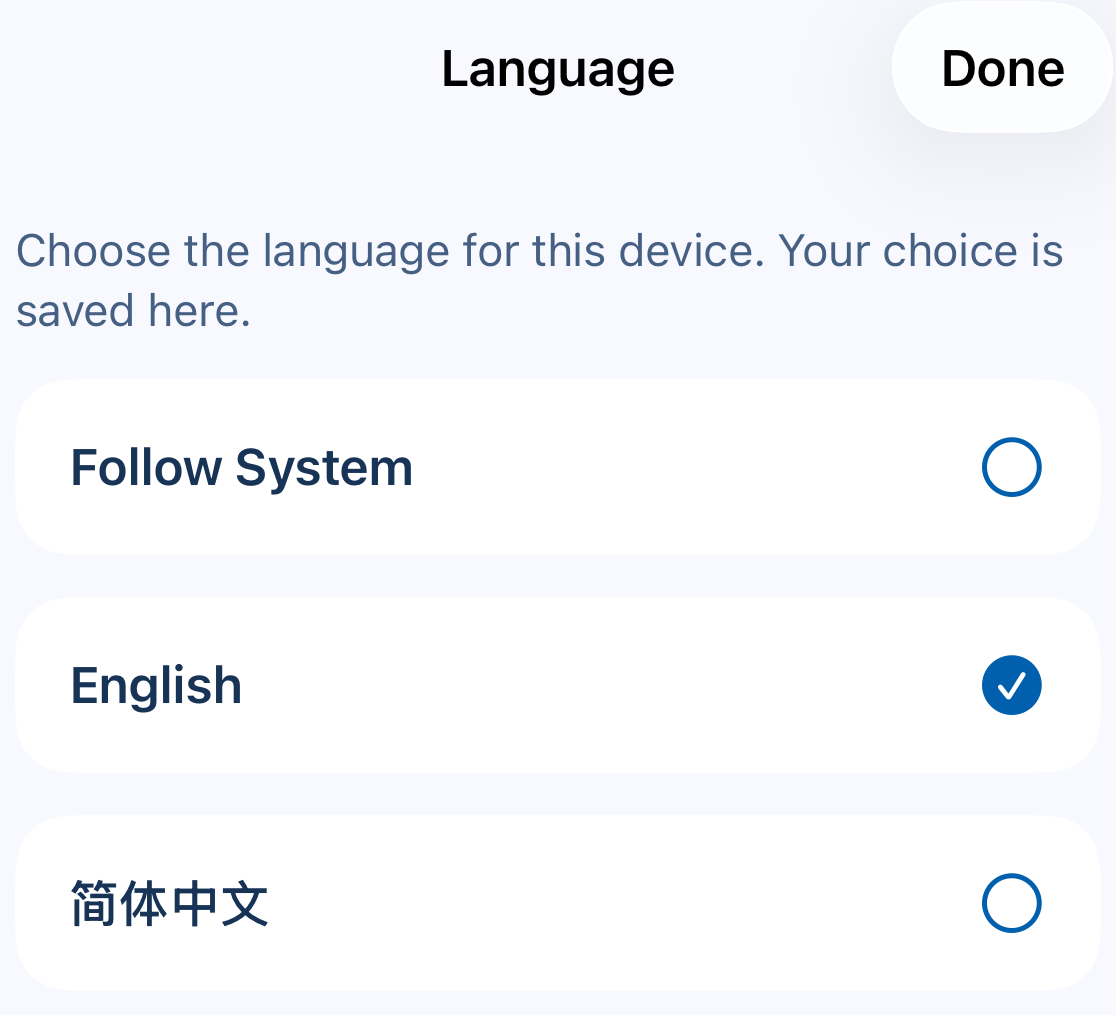
- Parent device: open Settings → Appearance → Language. The globe button on the welcome screen and the parent/child home screens also opens Language.
- Choose a language or Follow System, then tap Done. Each device keeps its own choice.
All plans include 15 app languages. Unsupported system languages fall back to English. Child nicknames, image text, videos and Apple’s own screens do not automatically translate. Web help has its own language selector; unavailable languages clearly show the English fallback.
How do I choose a theme?
On either device
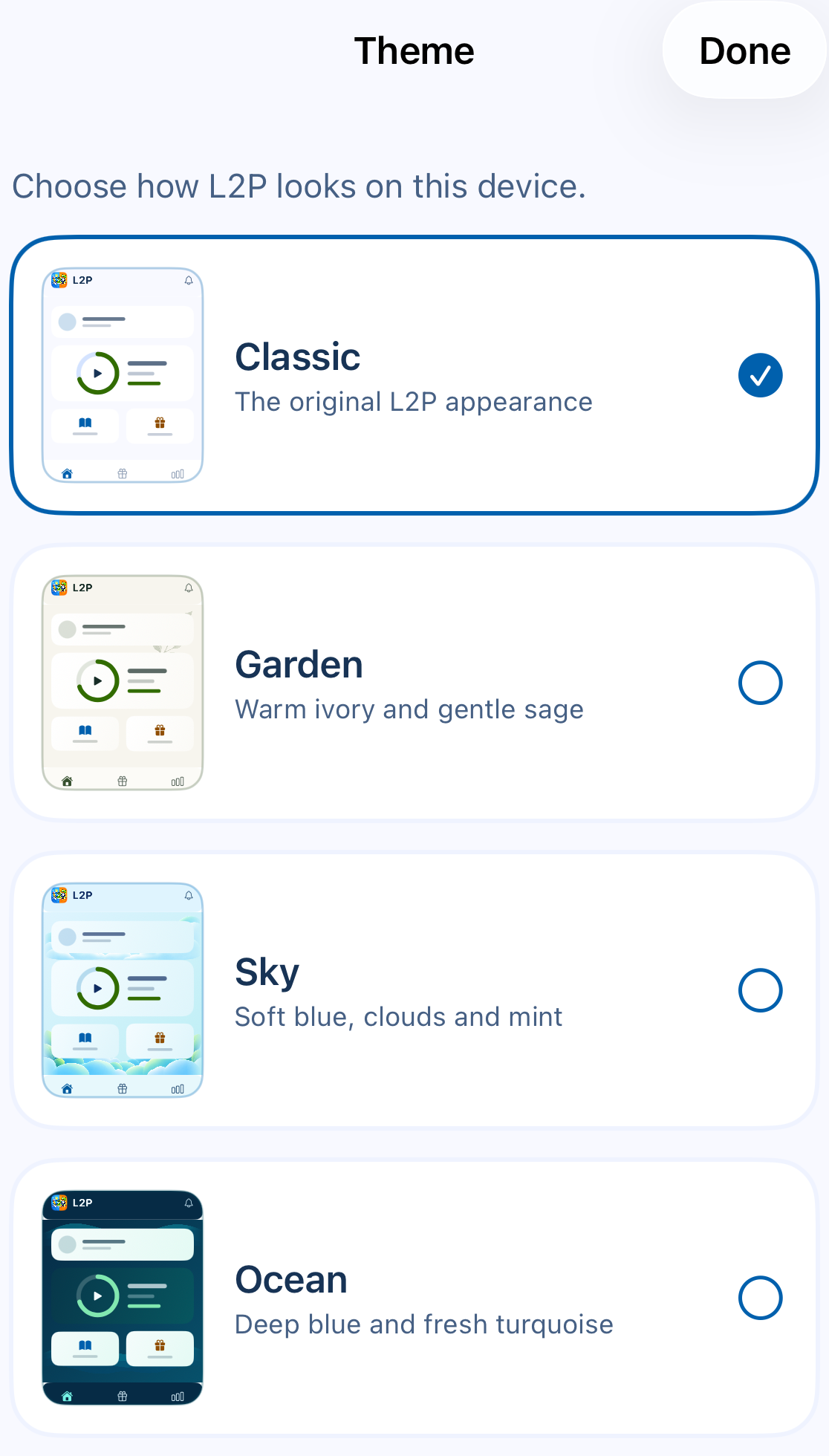
- Parent device: open Settings → Appearance → Theme. You can also use the palette button on the parent or child home screen.
- Choose Classic, Garden, Sky or Ocean, then tap Done.
All four themes are included in every plan. The choice is local to this device and changes appearance only; it does not change learning rules or play time.
Common problems
Why do parent and child totals differ?
Use both devices
The child device controls play locally. The parent Dashboard shows synced summaries, so it may lag behind; ordinary activity is not uploaded every second.
- Check both devices are online. On the child device, open L2P and tap Refresh or pull down.
- Then refresh the parent Dashboard and check the correct child and today’s date.
- If an error remains, note the displayed message and contact support. Parent Refresh cannot directly wake an idle child device.
Cached rules can continue child-device control offline. New pairing, rule/bonus changes and cloud summaries need connectivity. This web FAQ also needs an internet connection.
Why is learning not earning time, or a game still locked?
On the child device
- Check Device Status for unfinished setup or Screen Time authorization. If the status/tools entry is hidden after setup, ask the parent to grant temporary Child Tools access first.
- In Child App Rule, confirm the exact app is a monitored Learning App and the game is a monitored Play App. Check Free limits and overlapping selections.
- Check the reward ratio and Remaining on the child Dashboard. Earning uses whole play minutes; briefly opening an app is not an instant reward.
- Refresh L2P online. If there is available time but the app is still blocked, check Apple Screen Time limits and the message on the blocked screen with the parent.
What if QR scanning or joining fails?
Use both devices
Camera access is only needed for Scan QR Code. You can use Manual Code instead. Check that the code belongs to the selected child, is still valid and that the child is not already linked to another device. Ask the parent to regenerate an expired code.
If permission was denied, review L2P’s camera permission in iOS Settings, or continue with the manual code. Do not share a live code or QR image in a support screenshot.
Are notifications or Learning Verification required for earning?
On the child device
Learning Verification is an optional child-device check/reminder feature. It does not change core learning-to-play earning in this version. If using it, open Child Tools → Learning Verification → Open and review its settings; enable L2P notifications in iOS Settings to receive its prompts. Screen Time authorization is a separate permission.
iPad parental controls and learning rewards
Does L2P work on iPad and iPhone?
Yes. L2P supports iPhone and iPad running iOS or iPadOS 17.6 or later. Parent setup includes Apple Family Sharing, a paired child device and the required Screen Time permissions.
Can my child earn screen time by learning?
L2P converts time using parent-approved Learning Apps into play minutes. Selected Play Apps unlock while the earned balance is available and relock at zero. L2P counts app usage time; it does not check homework completion or measure what a child has learned.
How is L2P different from Apple Screen Time?
Apple Screen Time provides device-use and content controls. L2P adds a learning-to-play reward rule for the apps you choose. Its setup requires Screen Time permissions, and parents still manage Apple's own content restrictions separately.
Your family’s privacy
Clear answers about your family’s information and the controls available in the app.
What information does L2P use, and why?
L2P uses parent account details, child profiles, pairing information, selected apps and rules, learning/play summaries and limited operational records to run the learning-to-play system. These records support sign-in, family setup, time balances, device controls, support and privacy requests.
Screen Time enforcement runs on the child’s device where possible. Necessary account, pairing, rule, summary and operational records are stored in the cloud. Detailed per-app minute records are designed to stay on the child’s device by default.
Does L2P sell data or share it with other companies?
We don’t sell personal information or use children’s learning and play activity for advertising. We don’t share child data with data brokers.
Service providers do process information needed to operate L2P, such as cloud hosting, sign-in and service notices. The Privacy Policy explains the providers, purposes and other permitted disclosures.
Does L2P track my child’s location or record with the camera?
L2P doesn’t track your child’s GPS location. Camera access is used to scan a family join QR code, with no photo storage, face recognition or background recording.
Does my child need a real name or their own L2P account?
You can use a nickname for your child’s profile. A parent creates and manages the L2P account; children don’t need their own L2P email sign-up. Apple Family Sharing and child Apple Account requirements are separate.
Can I export my data or clear older history?
Yes. Open Parent Mode → Settings → Privacy & Data. Export My Data creates a private ZIP with family information and summaries. The file is kept for 7 days, and each download link expires after 1 hour.
Clear History removes eligible older history before the current child-local week. It keeps current rules, pairing, remaining play time, active Rewards, lifetime progress and records needed for current operation or security.
How do I delete a child profile or my family’s account data?
In Parent Mode, open Settings → Privacy & Data. Delete Child Profile removes the selected child’s profile and associated data while keeping your account and other children. Delete Account & Family starts permanent deletion of your account and associated family data. You can start either action directly in the app at any time.
Limited records may remain where needed for legal obligations, security, accountability or unresolved requests. An offline child device may keep cached rules until it reconnects and validates that it is no longer linked. The Privacy Policy explains retention and deletion in detail.
Who can I contact about my family’s privacy?
For privacy questions, email privacy@learn2play.com.au with your question or request. We may need to verify your identity and your authority to manage the relevant account or child profile.
Do I have to receive promotional emails?
No. L2P offers, promo codes and product news are optional and sent to your confirmed parent account email only if you choose them. The option is off by default, including for existing accounts, and is separate from agreeing to Terms or acknowledging Privacy.
How do I stop promotional emails?
Open Parent Mode → Settings → Email Preferences, or use the unsubscribe link in a promotional email without signing in. Wait for confirmation that your choice was saved. It applies to your parent account across devices and does not cancel your paid subscription or remove family controls. Necessary account, security, privacy and operational notices are handled separately.
What does the Terms and Privacy confirmation record?
The app records which Terms you agreed to and which Privacy Policy you acknowledged reading, with their versions, language and confirmation time. This does not subscribe you to promotional emails. Receiving a policy-update email does not itself record your agreement or acknowledgement.
Plans
Which functions are core in every plan?
Learning detection, earned play time, app unlock and relock, play time countdown, offline enforcement, Today summary, points, levels, and 7-day progress stay available across all plans.
Does the detailed comparison match the plan summary?
The pricing overview introduces the plans and comparison categories. For the limits available to your family, check Settings → Subscription in the app. Current daily Bonus Time is capped at 10 minutes on Free and 20 hours on Plus / Pro.
What does Free include?
Free includes 1 device, preset rules, 5 Learning Apps, 5 Play Apps, the complete core loop, points, levels, Today summary, and 7-day progress. Each child has one paired device.
What does Plus add?
Plus adds deeper parental control: up to 5 devices, custom rules, unlimited Learning App and Play App selection, up to 20 hours of daily Bonus Time, controls for multiple devices, 30-day progress, and extended progress details.
What does Pro add?
Pro supports up to 15 devices and adds the parent-managed Rewards system on top of Plus: daily tasks, weekly learning rewards, parent reward goals, reward points, claim and redemption history, and optional child read-only Rewards visibility.
Are themes and languages included in every plan?
Yes. L2P 1.1.0 includes Classic, Garden, Sky and Ocean themes and 15 app languages on Free, Plus and Pro. Open Parent Mode → Settings → Appearance to choose for this device. You can also follow your device's system language.
Where can I find the video guides in the app?
In L2P 1.1.0, the welcome screen offers What is L2P? and Guides & Videos. You can also open Parent Mode → Settings → Guides & Videos. Watching is optional; Continue as Parent lets you proceed to sign-in without watching a video.
Program Access
What is Program Access?
Program Access supports approved schools, community programs and family-support groups with promotional access and setup support. Apple offer codes may provide free or discounted access; availability, eligibility, plan, price, duration and renewal terms depend on the specific offer.
Is Program Access a separate payment route?
No. Apple handles offer-code redemption and subscription billing. Check the offer period, any charge and whether the subscription renews or ends on Apple's confirmation screen before accepting. L2P does not collect payment through the Program Access contact form.
Who should request Program Access?
Schools, community programs and family-support groups can contact us about available offers and setup support. Individual families can start with Free or choose Plus or Pro in the app. Existing Program Access grants continue under their original terms.
How do I redeem an Apple offer code?
On the parent device
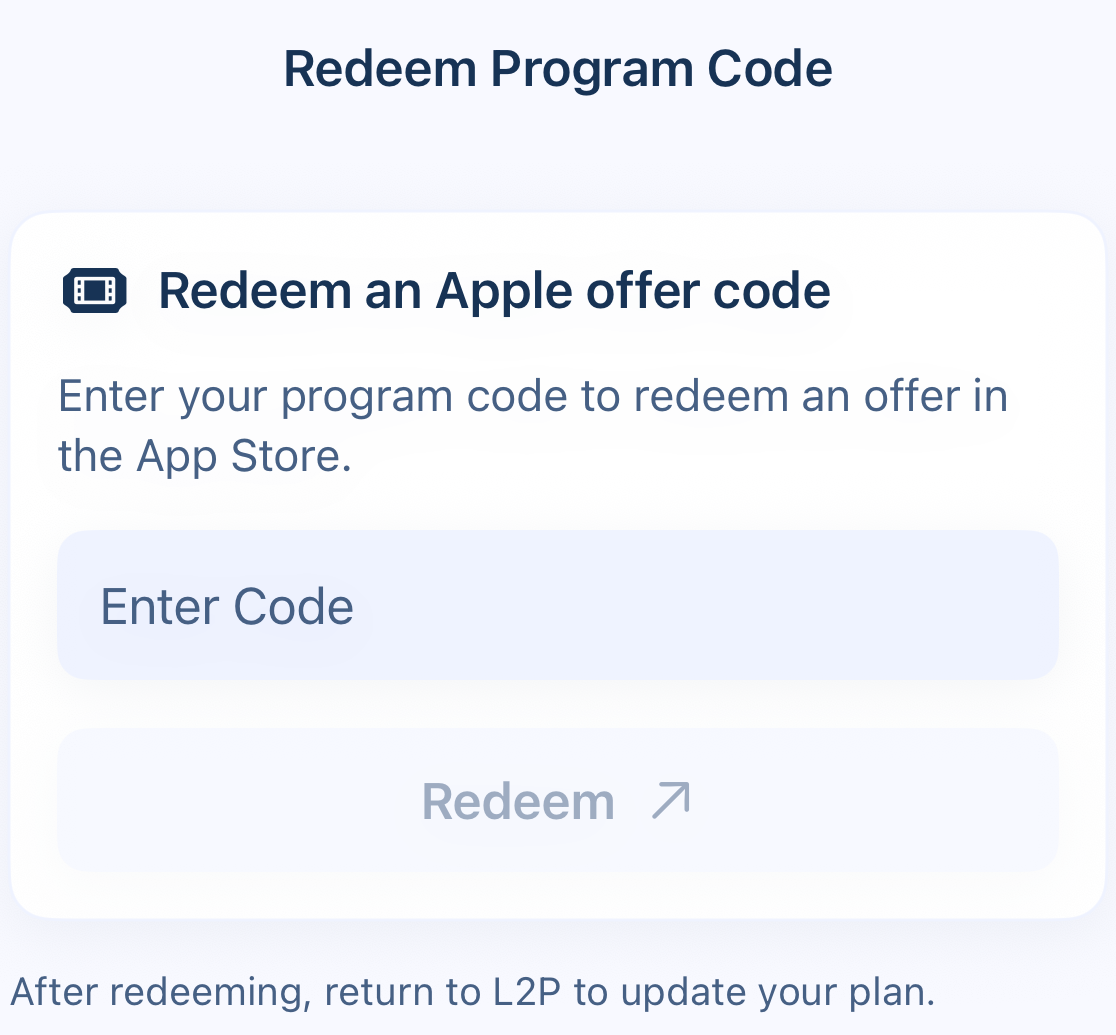
- Open Parent Mode → Settings → Redeem Program Code.
- Enter the code in Enter Code, tap Redeem, and complete Apple’s App Store flow. Review the eligibility, price, duration and renewal terms before accepting.
- Return to L2P and open Settings → Subscription to check the updated plan.
Opening the App Store is not proof of successful redemption. Apple decides the offer and eligibility; L2P applies access after a verified entitlement. Do not publish a valid code in screenshots.
What if my plan has not updated?
On the parent device
- Return to L2P with an internet connection and open Settings → Subscription.
- Use Restore Purchases, then allow the plan check to finish before attempting another purchase. Check you are using the Apple account that holds the purchase.
Existing Program Access grants keep their recorded terms; older codes may not be Apple offer codes. Apple manages subscription renewal and cancellation. Deleting L2P or an L2P account does not cancel an Apple subscription.
Rewards
Do points or rewards unlock apps directly?
No. Points and Rewards encourage progress. Play access stays controlled by earned play time or parent override.
How do Pro rewards work?
On the parent device
Parents manage daily tasks, weekly learning rewards, and reward goals. The parent controls task claims and reward redemptions, while the child can see a read-only Rewards view when the parent chooses to show it.
- On Pro, open Reward, select the child, then use Manage for Daily Tasks, Weekly Learning Rewards or Parent Reward Goals.
- Parents claim completed tasks and redeem reward goals. Review the points deduction before confirming a redemption. The child’s Rewards view is read-only when shown.
Can a child redeem a reward automatically?
No. Reward redemption is parent-controlled. Child Rewards visibility is read-only and can be shown or hidden by the parent.
Can parents add points for real-world tasks?
Yes, in Pro. Parents can enable or create daily tasks, set point values, and claim task points from the parent side.
Progress
Where do I see learning and play progress?
On the parent device
- Open Progress and select the child if more than one is available.
- Choose 7 Days, or 30 Days on Plus / Pro. Review the learning/play summary and Daily Overview.
Progress uses synced summaries, so recent child activity may not appear immediately. It does not prove learning quality.
Why does Free include 7-day progress?
Free includes 7-day progress so families can understand recent learning and play patterns before choosing whether they need more control.
What does Plus add for progress?
Plus adds the 30-day range, previous-range comparison when data exists, and 30-day highlights such as active days, best learning day, best play day, and best 7 days.
Safety Boundaries
Why keep rewards separate from play enforcement?
The core loop stays cleaner when app access is controlled by earned play time or parent override. Points remain motivational and do not change the play-time ratio.
Do points have monetary value?
No. Points stay inside the family reward system and should not become automatic monetary value.
Who controls the child experience?
The parent or guardian controls setup, rules, app selection, Bonus Time, reward tasks, reward goals, and reward redemption.
Ready to compare the plans?
Compare Free, Plus, and Pro options, then contact us if you want help choosing the right setup for your family.